
Easy games for kids 2,3,4 year
KakadooEducational
4.3277.00 Reviews
- Version
- 1.28
- Installs
- 10.00M
- Age Rating
- Everyone
Screenshots
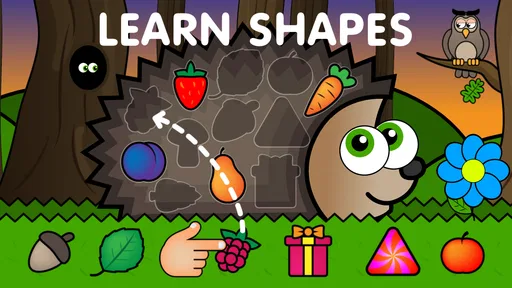
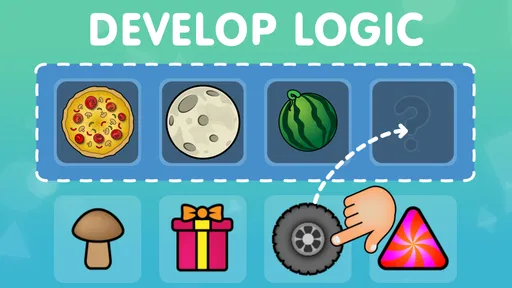
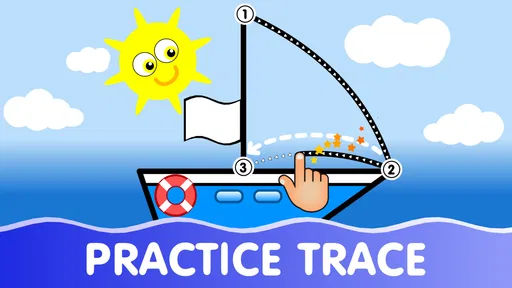
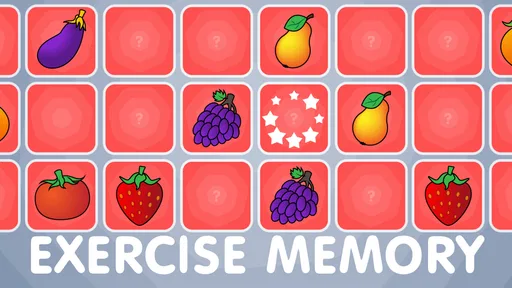
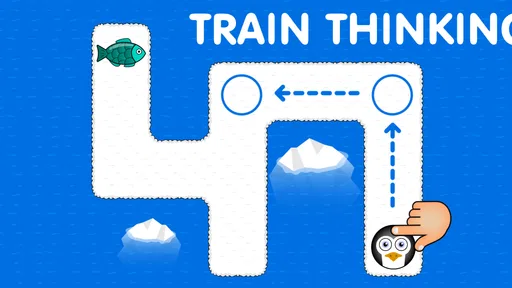
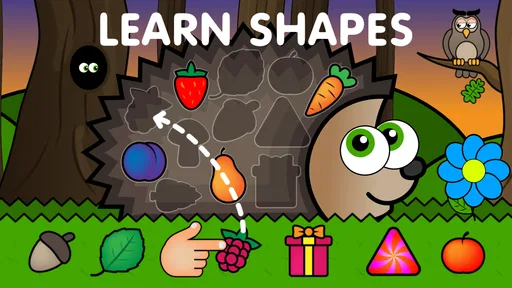
Our Review of Easy games for kids 2,3,4 year
 Analysis by Appyee
I came across Easy Games for Kids 2, 3, 4 Year while looking for a simple way to keep a young child occupied without turning screen time into a complicated activity. My impression is that it works best as a short, shared play option: a child can try a small challenge, while an adult nearby helps them stay focused and talks through what they see. It is an educational game from Kakadoo, aimed at preschool-age children, and its appeal is the straightforward, child-friendly approach rather than a deep curriculum.
A simple routine works best
I would start by opening the game together and letting the child explore one activity at a time. With children in this age range, a quick demonstration often works better than a long explanation: show how to touch an object or complete a simple task, then let them try. If they get stuck, a gentle prompt such as “Which one looks the same?” turns the moment into a conversation instead of a test.
That approach also helps adults judge whether a child is ready to play independently. A toddler may need you to point out where to tap, while an older preschooler may be comfortable repeating a familiar activity alone for a few minutes. I would treat that independence as something to build gradually, not a reason to leave a young child with a device for an extended stretch.
Fit it into everyday moments
A realistic use case is a brief wait at home while dinner is being prepared, or a quiet moment when a parent needs to finish a small task nearby. I would set the phone or tablet on a stable surface, choose an activity with the child, and agree on a clear stopping point before starting. That small routine can make it easier to put the device away without a surprise argument when the child is absorbed.
It can also work as a shared activity between siblings or a caregiver and child, provided the adult keeps the pace relaxed. Letting a child explain what they are matching or solving adds language practice that a screen cannot provide on its own. I would avoid using it as a reward for finishing every ordinary task, though; it is more useful as one occasional play choice among books, toys, and outdoor time.
What’s the Buzz About?
So, why should you even consider downloading Easy Games for Kids 2, 3, 4 Year? Well, the app is designed to engage young minds through a variety of interactive games. It’s packed with colorful graphics and simple animations that make learning fun and intuitive. From puzzles to memory games, it’s got it all. Plus, it's available on both Android and iOS, so accessibility is no issue here.
Engaging and Educational
One of the first things I noticed is how the app seamlessly blends education with entertainment. The games are crafted to enhance cognitive skills, hand-eye coordination, and problem-solving abilities. It’s like having a mini classroom right on your phone. What’s even better is that the kids won’t even realize they’re learning because they’re having so much fun!
For instance, there are matching games that boost memory and concentration, and simple jigsaw puzzles that help with spatial awareness. I watched my niece play and could see her wheels turning as she figured out each level. It was delightful to see her so engaged!
Use it as a conversation starter
Rather than leaving a child to tap through one activity after another, I like to use a completed puzzle or match as a cue to talk. Ask what the child noticed first, invite them to describe the picture, or have them point out something similar nearby. This makes the game feel less like passive screen time and gives an adult a chance to notice which tasks hold the child’s attention.
For a repeatable habit, keep sessions short and let the child choose between a familiar activity and a different one. Repeating a puzzle can be satisfying for a young learner, but switching occasionally gives you a better sense of whether they are exploring or simply tapping by habit. I would not rush them toward harder tasks: confidence and enjoyment matter more here than finishing quickly.
User-Friendly Experience
The app’s interface is a big win for me. It’s incredibly user-friendly, making it easy for kids to navigate without constant adult intervention. The large buttons and simple instructions are perfect for tiny hands and developing minds. Trust me, it’s a relief to know that your kid can play independently while you sneak in a quick coffee break.
The design is vibrant and appealing, with a warm color palette that’s easy on the eyes. The friendly characters and cheerful sounds add to the overall experience, making it a hit with the little ones.
Check the purchase details first
I would make one practical correction before handing the device over: the game is free to install, but it includes in-app purchases priced at $7.99 per item. That means I would not describe it as having no purchases, and I would check the purchase controls on the device before a child plays unsupervised. The age rating is Everyone, but that is not a substitute for an adult deciding what is appropriate for their own child or managing spending access.
If you are choosing between this and a completely offline toy, the toy wins when you want no screen and no device supervision at all. If you want a short digital activity with simple learning-oriented play, this game is more relevant than a general video app, where the child may simply watch rather than make choices or solve a small task.
Safe and Sound
As a parent or guardian, safety is always a priority, right? The developers of this app have clearly kept that in mind. No ads, no in-app purchases, and no annoying pop-ups. It’s a safe environment where kids can play without stumbling onto unsuitable content. That’s a major plus in my book!
Know what it can and cannot replace
I would use this as a supplement to hands-on play, not as a replacement for blocks, picture books, drawing, or time with another person. A digital puzzle can invite a child to notice shapes, but it does not give the same tactile experience as fitting physical pieces together. Likewise, a matching activity may prompt talk about memory, but it is not a complete preschool lesson or a reliable way to assess development.
The best fit is a family looking for an easy, low-pressure activity for a toddler or preschooler, especially when an adult can stay close enough to help. It is less suitable if you want a structured teaching plan, detailed progress tracking, or a game designed for older children who expect more complex challenges. In those cases, a dedicated learning program or an age-appropriate tabletop game may serve you better.
Compatibility and Performance
The app runs smoothly on both Android and iOS devices. I tested it on my old Android tablet and was pleasantly surprised by how well it performed. The games loaded quickly, and I didn’t encounter any lags or crashes. It’s optimized to work on various devices, so you don’t need the latest phone to enjoy it.
For Android users, the listed minimum operating-system requirement is version 6.0, and the current version is 1.26. I would check compatibility on the actual device before planning to use it, particularly if you are setting up an older tablet for a child. The game is free, carries an Everyone content rating, and has an average rating of 4.3 from around 72,000 ratings, with over 5 million installs. Those figures suggest that many families have tried it, but they cannot tell you whether its activities will suit your individual child.
What to expect over time
For a child who enjoys repeating familiar activities, the strongest point may be how easily the game can become part of a short routine. I would watch for signs that the child is still making choices—pausing to look, trying another answer, or asking for help—rather than simply tapping quickly to move on. If attention fades, stopping is more useful than trying to stretch a session just because the device is available.
There is a trade-off in keeping play approachable: a very young child can get started without much explanation, but an older child may outgrow that simplicity. The game’s description places it in the one-to-five age range, yet children develop interests at different speeds. I would use age as a rough guide and let the child’s response decide whether the activities feel inviting or repetitive.
Final Thoughts
In a nutshell, Easy Games for Kids 2, 3, 4 Year is a delightful app that ticks all the right boxes. It’s fun, educational, and most importantly, safe for young children. The developers have done a fantastic job in creating an app that entertains and educates without any hidden catches.
If you’re searching for an app that will keep your little ones entertained while giving them a head start in learning, I’d definitely recommend giving this one a go. It’s a win-win for both kids and parents. So go ahead, download it, and watch your kids dive into a world of fun and learning!
My practical verdict
I would recommend trying it if you want brief, simple activities that a young child can explore with an adult close by. The useful habit is to choose an activity together, let the child take the lead, and end the session deliberately rather than waiting until frustration or distraction takes over. Check purchase controls first, and keep other kinds of play in the mix.
With an average rating of 4.3 and a broad audience, it is clearly a familiar choice for many families, but popularity is only a starting point. My honest view is that its value depends on how you use it: as a small, guided part of a child’s day, it can be enjoyable; as a substitute for varied play or adult interaction, it is not the right tool. Kakadoo’s game is at its best when it gives a child a simple challenge and gives you a reason to join in.
Verdict
Strengths of Easy games for kids 2,3,4 year
- Simple and intuitive interface for young kids.
- Bright and engaging graphics.
- No ads to interrupt gameplay.
- Variety of mini-games keeps it interesting.
- Safe environment with parental controls.
Limitations of Easy games for kids 2,3,4 year
- Limited content may not sustain long-term interest.
- Requires internet for some features.
- No customization options for characters.
- Some games might be too easy for older kids.
- In-app purchases for additional content.
Similar Picks in This Category
View All
Little Panda Policeman
BabyBus4.0

Monster Trucks Game for Kids 2
Raz Games4.1

Little Panda's Chinese Recipes
BabyBus4.4

Little Panda's Restaurant
BabyBus4.4

Little Panda's Ice Cream Games
BabyBus4.3

Baby Panda Care
BabyBus3.8
Frequently Asked Questions
What types of games are included in Easy Games for Kids 2, 3, 4 Year?
Easy Games for Kids 2, 3, 4 Year includes a variety of educational games designed specifically for young children. These games focus on skill-building activities such as matching, puzzles, color recognition, and basic counting. Each game is crafted to be intuitive and engaging, promoting learning through play.
Is Easy Games for Kids 2, 3, 4 Year safe for my child to use?
Yes, the app is designed with child safety in mind. It features a user-friendly interface with no in-app purchases or advertisements that could lead to accidental clicks. Additionally, the content is age-appropriate, ensuring a safe and educational experience for your child.
Does Easy Games for Kids 2, 3, 4 Year require an internet connection?
No, the app does not require an internet connection for gameplay. Once downloaded, your child can enjoy all the games offline, making it convenient for use during travel or in areas with limited connectivity. This ensures uninterrupted learning and fun anytime, anywhere.
How does Easy Games for Kids 2, 3, 4 Year support child development?
The app supports child development by incorporating educational elements into entertaining games. It enhances cognitive skills, such as memory and problem-solving, while also promoting fine motor skills through interactive touch-screen activities. The app is designed to stimulate learning in a fun and engaging manner.
Can multiple children use Easy Games for Kids 2, 3, 4 Year on the same device?
Yes, multiple children can use the app on the same device. While the app does not have separate profiles, its design accommodates different users by offering a variety of games suitable for various skill levels. This makes it easy for siblings or friends to share a single device.
Play our best games!


